

 March, 2026
 In this blog, we explore common anti-forensic techniques used by attackers to hide digital evidence and evade detection. We also demonstrate, through a fictional case study, how forensic artifacts such as Prefetch files and the USN Journal can help investigators reconstruct attacker activity.
What are Anti-Forensics Techniques?
Anti-forensics refers to techniques and methods used to hinder digital forensic investigations by hiding, altering, or destroying evidence on a computer system. Attackers employ a variety of anti-forensic strategies to conceal their activities, evade detection, and make forensic analysis more difficult.
These techniques are often used by malware authors, cybercriminals, and malicious insiders to cover their tracks after performing unauthorized activities on a system.
The use of anti-forensic techniques is primarily intended to hide malicious software, system modifications, or attacker activity from investigators. However, it is important to note that completely eliminating all traces of activity on a Windows system is extremely difficult. Even when attackers attempt to wipe or manipulate evidence, remnants of artifacts and system references often remain and can still be recovered through forensic analysis.
Types of Anti-Forensic Techniques
Several common anti-forensic techniques are observed in cyber incidents, including:
Each of these techniques aims to obscure or eliminate traces of malicious activity.
a. Timestomping
Timestomping is a technique used by attackers to manipulate file timestamps in order to conceal their activities. In digital forensics, timestamps typically record when a file was created, modified, or accessed.
By altering these timestamps, attackers attempt to make it appear as though files were created or modified at a different time than when the activity actually occurred. This can mislead investigators and disrupt the construction of an accurate activity timeline.
Detecting Timestomping
Investigators can identify timestomping through several forensic checks, including:
These discrepancies often indicate that timestamps may have been manipulated.
b. Data and File System Encryption
File system encryption is a technique used to protect data by encrypting files and directories so that they cannot be read without the appropriate decryption key.
While encryption is commonly used for legitimate security purposes, it can also be used as an anti-forensic technique. If attackers encrypt data before deleting or hiding it, investigators may be unable to access the contents without the encryption key.
Common examples of file system encryption technologies include:
These technologies typically use strong encryption algorithms such as AES and require a password or key for decryption.
c. Registry Wiping
Registry wiping is another anti-forensic technique used to remove traces of malicious activity from the Windows Registry. The Windows Registry stores configuration settings and operational data for both the operating system and installed applications.
Attackers may attempt to:
Another related technique involves hiding malicious scripts or commands inside registry keys that appear legitimate. By embedding code within normal-looking registry values, attackers attempt to conceal malicious activity from investigators.
d. File Deletion Using Living-off-the-Land Wipers
Attackers sometimes use legitimate system utilities to securely delete files, a strategy often referred to as “living off the land.” These tools are designed for legitimate administrative use but can also be abused to permanently remove files.
Such tools overwrite file data multiple times to prevent recovery through standard forensic techniques.
Examples include utilities such as secure deletion tools on Windows or Linux systems that overwrite file contents before deletion.
Attackers may combine these tools with other methods, such as repeatedly overwriting storage space or encrypting data before deletion, to further reduce the chances of successful data recovery.
e. Event Log Deletion
Event logs are important sources of evidence during forensic investigations because they record system activities, logins, application behavior, and security events.
Event log deletion is an anti-forensic technique in which attackers attempt to remove or manipulate these records to hide their actions.
This can be done by:
The goal is to make it difficult for investigators to reconstruct the sequence of events leading to a compromise. However, deleting logs alone rarely removes all evidence, as traces may still exist in other system artifacts or centralized logging systems.
Case Study (Scenario)
In a real investigation scenario, law enforcement authorities detained an individual suspected of involvement in computer hacking and identity-related offenses associated with the theft and exposure of sensitive personal information belonging to government personnel.
During the investigation, intelligence gathered through technical analysis and questioning suggested that the suspect had been developing malware targeting industrial control environments, particularly Programmable Logic Controllers (PLCs) used in Supervisory Control and Data Acquisition (SCADA) systems.
Previous intelligence also indicated that the suspect had used a secure deletion utility to remove files from a system. Based on this information, investigators focused on determining what data may have been deleted using the tool.
Tools Used in the Analysis
The following forensic tools were used during the analysis:
Prefetch Artifacts
When an application is executed for the first time, the Windows operating system creates a Prefetch file. Prefetch files help improve application startup performance by storing information about files and resources used during execution.
For forensic investigators, these files are valuable because they provide evidence that a particular program was executed on the system.
Prefetch File Location
C:\Windows\Prefetch
Prefetch Extraction Procedure
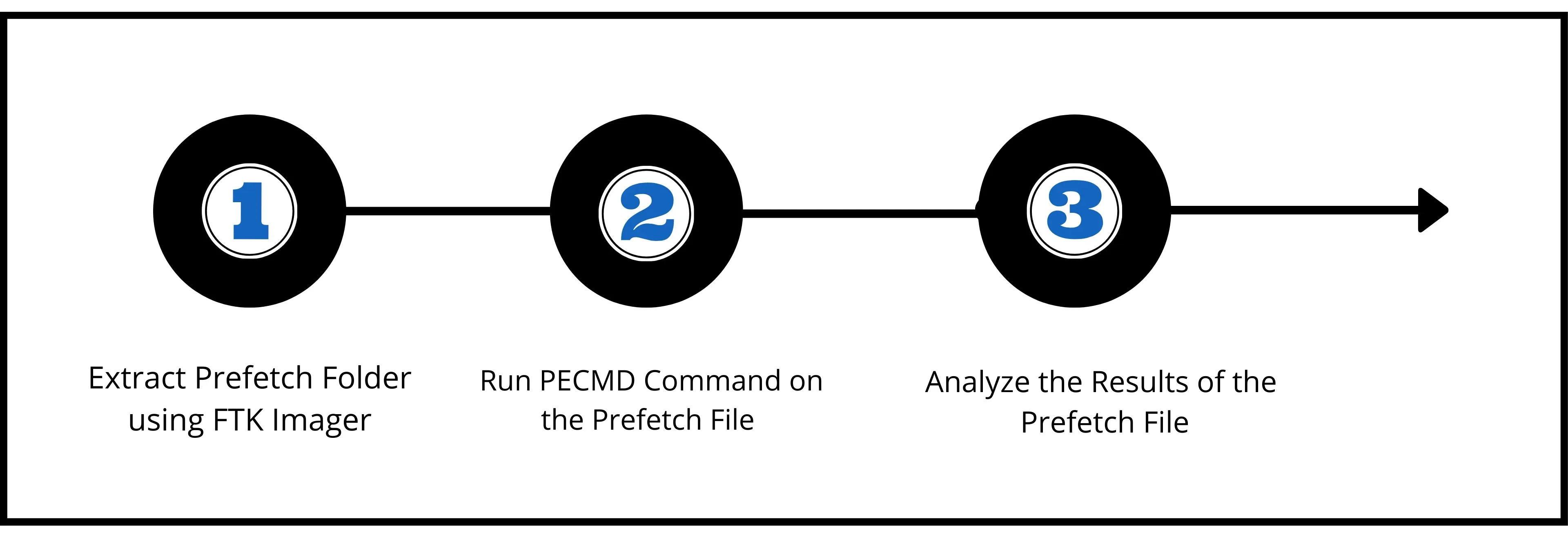
The Prefetch file SDELETE.EXE-A37B56B2.pf was parsed using PECMD to identify execution evidence of the secure deletion utility.
Analysis of the Prefetch output reveals the following key observations:
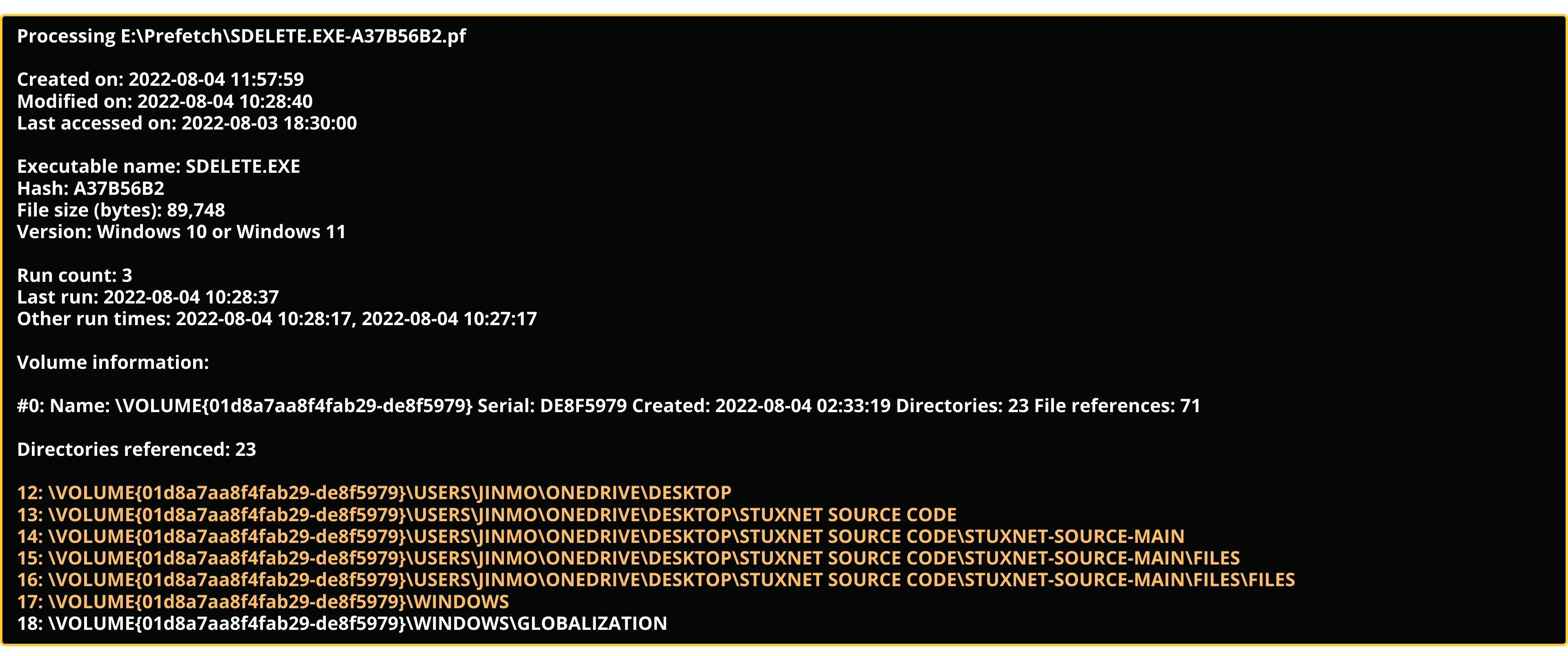
Prefetch files also record file and directory references accessed by the program during execution. The output indicates that the secure deletion utility interacted with files and directories associated with the Stuxnet Source Code folder.
This strongly suggests that the secure deletion utility (Sdelete) accessed and wiped the directory containing the Stuxnet source code.
USN Journal Artifact
The Update Sequence Number Journal (USNJRNL) records high-level information about changes made to files and directories on an NTFS file system. Each entry includes details about the type of change that occurred, such as file creation, deletion, modification, or renaming.
The Windows backup subsystem also relies on this journal to determine which files have recently changed and need to be backed up.
For forensic analysis, the USN Journal is extremely useful for reconstructing file system activity even when files themselves have been deleted.
USN Journal Extraction Procedure
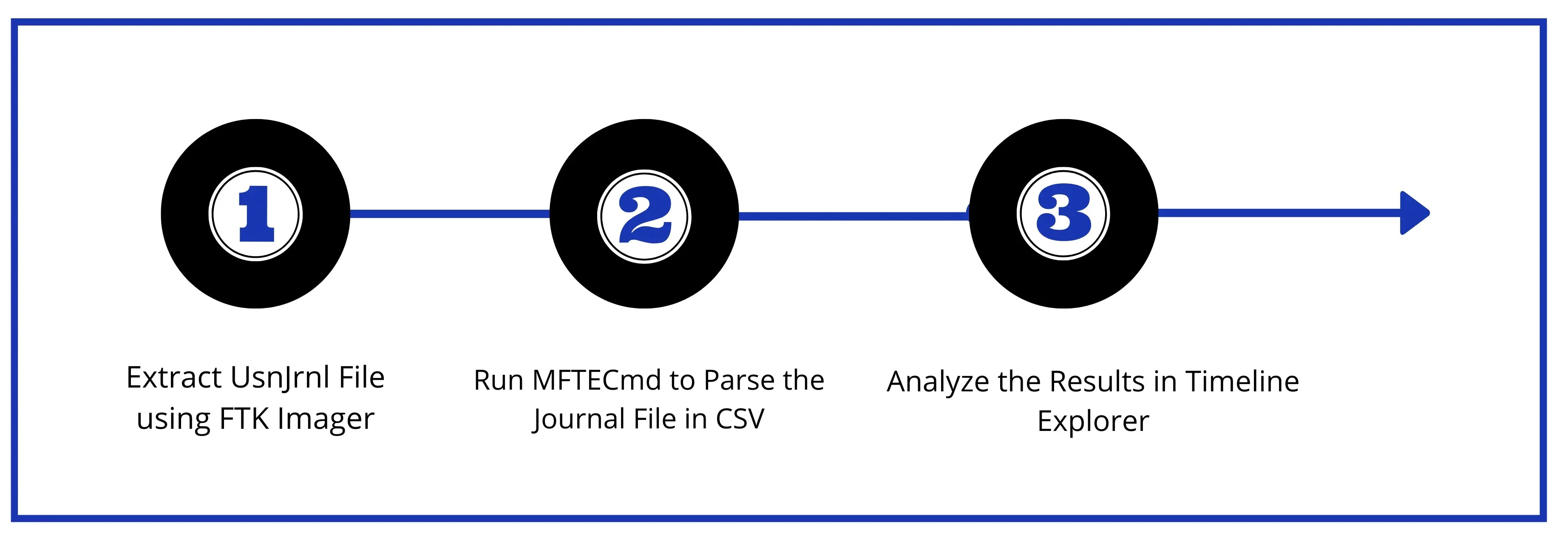
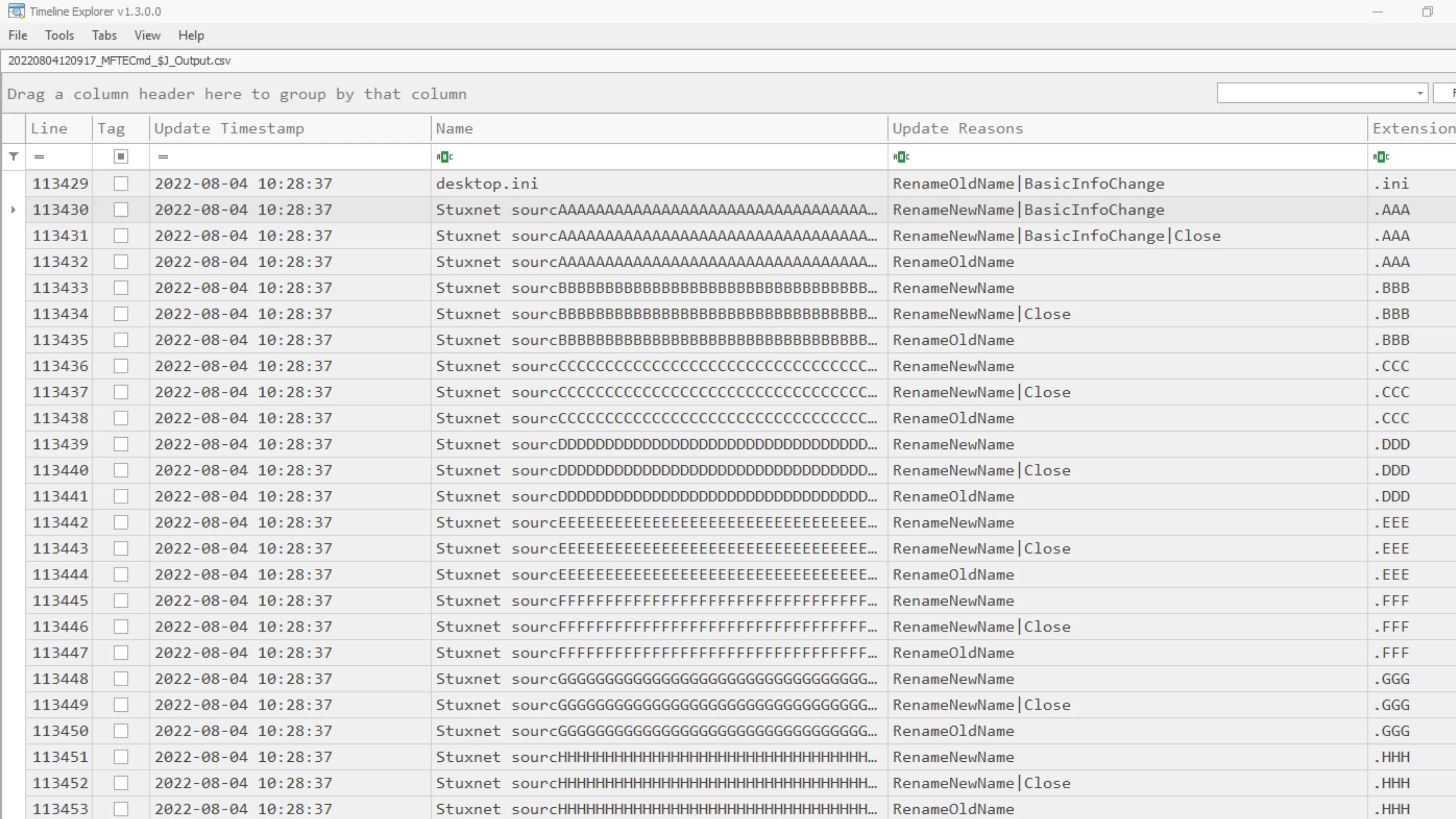
Further evidence was obtained from the USN Journal, which records file system changes occurring on an NTFS volume.
The extracted journal entries revealed a sequence of rapid file renaming operations occurring within the source code directory. The filenames were repeatedly modified with successive alphabetical patterns (AAA, BBB, CCC, etc.), which is a behavior commonly associated with secure deletion utilities, notably SDelete Application as per Microsoft Documentation (https://learn.microsoft.com/en-us/sysinternals/downloads/sdelete).
Secure wiping tools often rename files multiple times before deleting them in order to obscure the original filename and prevent recovery.
The USN Journal entries show:
Conclusion
By correlating the Prefetch execution artifacts with USN Journal file system activity, investigators were able to reconstruct the sequence of events.
The analysis indicates that:
This pattern of activity confirms the use of a secure deletion utility to wipe the source code directory located on the Desktop.
This demonstrates an important principle in digital forensics: although attackers may attempt to hide their activities using anti-forensic techniques, residual artifacts and metadata frequently remain within the operating system. Careful forensic analysis of these artifacts can still reveal critical evidence and help reconstruct the sequence of events.
Note:
The case study described in this article is a fictional scenario developed for research and educational purposes. It is intended to illustrate digital forensic methodologies and the analysis of anti-forensic techniques within a simulated investigative context.
Author: Manjesh P Shetty
Operational Office – 4th Floor, NASSCOM Campus, Plot No. 7-10, Sector 126, Noida, UP -201303
In Association

